

Local Numbers
We'll give you a unique local number for each of your international contacts. Save these numbers to your phone to call your friends abroad cheaply.
Call from any mobile or landline
- Really cheap international call rates
- Only pay for the calls you make
- Great call quality
- Get straight through with no PINs or re-dialing
Smartphone apps
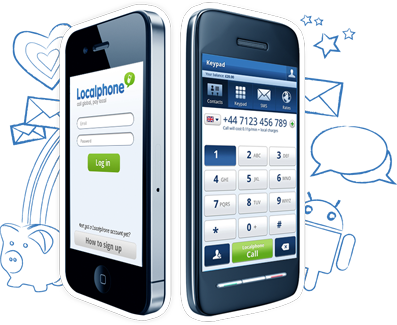
Call and text from your iPhone or Android phone to over 250 countries at our low rates. Our apps dial local numbers to connect the calls internationally.
Available for Android and iPhone
- One click calling
- Clear call quality
- Keep in touch by text
Internet Phone
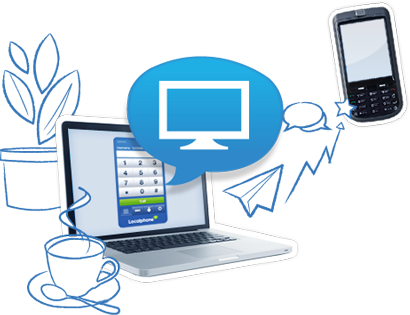
Download our Internet Phone to call overseas from your computer for less. Or, you can use your own VoIP device to access our low rates.
Call from your computer or VoIP device
- Works anywhere in the world
- Low cost calls using your broadband connection
- Call other Internet Phone users for free
- Option to call from your own device - see how
Global SMS
Keep in touch by sending text messages from our website from just 1¢ /message. The message will appear to have come from your phone.
Send international texts
- Save money on texting friends abroad
- View your conversations online
- Send texts from different numbers

Calling Card
Save time and money by adding one local rate Calling Card number to your phone. Just call it then re-dial your full international number.
Access our rates on the go
- Local-rate Calling Card number
- No connection charges
- Speed dials for quicker calling







Incoming Numbers
Rent a landline number from one of over 50 destinations then forward the calls to your phone. Or, answer the calls using our Internet Phone and talk for free.
Friends abroad can call you
- Rent an international number
- Contacts can call you at local rates
- Forward the calls to your phone
- Perfect for international businesses
Callback
Dial the Callback number then hang up, we won’t answer so you won’t be charged by your operator. We’ll call you back to connect you to the international number at our low rates.
Works anywhere in the world
- Free Callback number
- Works where local numbers aren’t available
- Great for pre-paid (PAYG) customers
- No Internet connection required
Dial Online
Call from your mobile without using your minutes by initiating the call on our website. Your phone will ring - just answer to be connected to your contact.
Click to start a phone call
- No need to dial a local number
- Perfect for pre-paid mobile users
- Clear call quality
- Works anywhere in the world